
Document control: the right version, read and acknowledged.
Hedarius Styr is a system for document control and policy management. Keep your policies, guidelines and procedures in one place, with the version in force, who approved it and when it is due for review. Require acknowledgement from those who need to have read it.

Does this sound familiar?
- The policy exists in three versions and nobody knows which one applies.
- Everyone should have read the procedure, but nobody knows who has.
- The process map was drawn once and no longer matches reality.
- The auditor asks for the document and it takes an afternoon to find.
See how Document Control works.
Read the film’s text
This is Jonas. He is the quality manager. Last year the fire safety procedure existed in three versions. Nobody knew which one applied. Nobody knew who had approved it. And nobody knew whether anyone had read it.
With Hedarius Styr, every governing document is in one place, with the version in force.
Today the fire safety procedure gets a new version. It only applies once the boss has approved it. The old one is kept. The change is marked as significant. And management has decided that significant changes must always be acknowledged. So when it comes into force, everyone who reads the procedure must acknowledge it again. That happens automatically, on the computer or on the phone. And anyone who has not read it is reminded until it is done.
The procedure also has a process map. Styr AI drew the draft, and he drew the rest himself. The auditor wants to see the procedure. Jonas shares it to her e-mail. She can read it but not download it, and every opening is logged.
The boss wants to know how often the fire extinguishers should be checked. Jonas asks Styr AI. The answer is there: every quarter, from the procedure, with version and page.
Now there is one version in force. They see who has acknowledged it, and Styr reminds the rest. And the answer shows version and page.
Hedarius makes the tools simple, so that people can shine.
Gather and find.
A document management system for your governing documents. Upload the documents and arrange them in folders. Each document gets a number, a category with custom fields, and tags. Word becomes PDF automatically. Search by title, number, tag or a word in the text.

The right version is in force.
Version control with approval: a new version is in force only once the appointed approver has approved it. The old version is kept, so you can always see what was in force and when.
- The owner is reminded when it is time to review the document.
- Documents without an owner or approver are flagged.
- Read access per group, inherited down through the folders. Anyone who may not read a document does not see it.

Read and acknowledged.
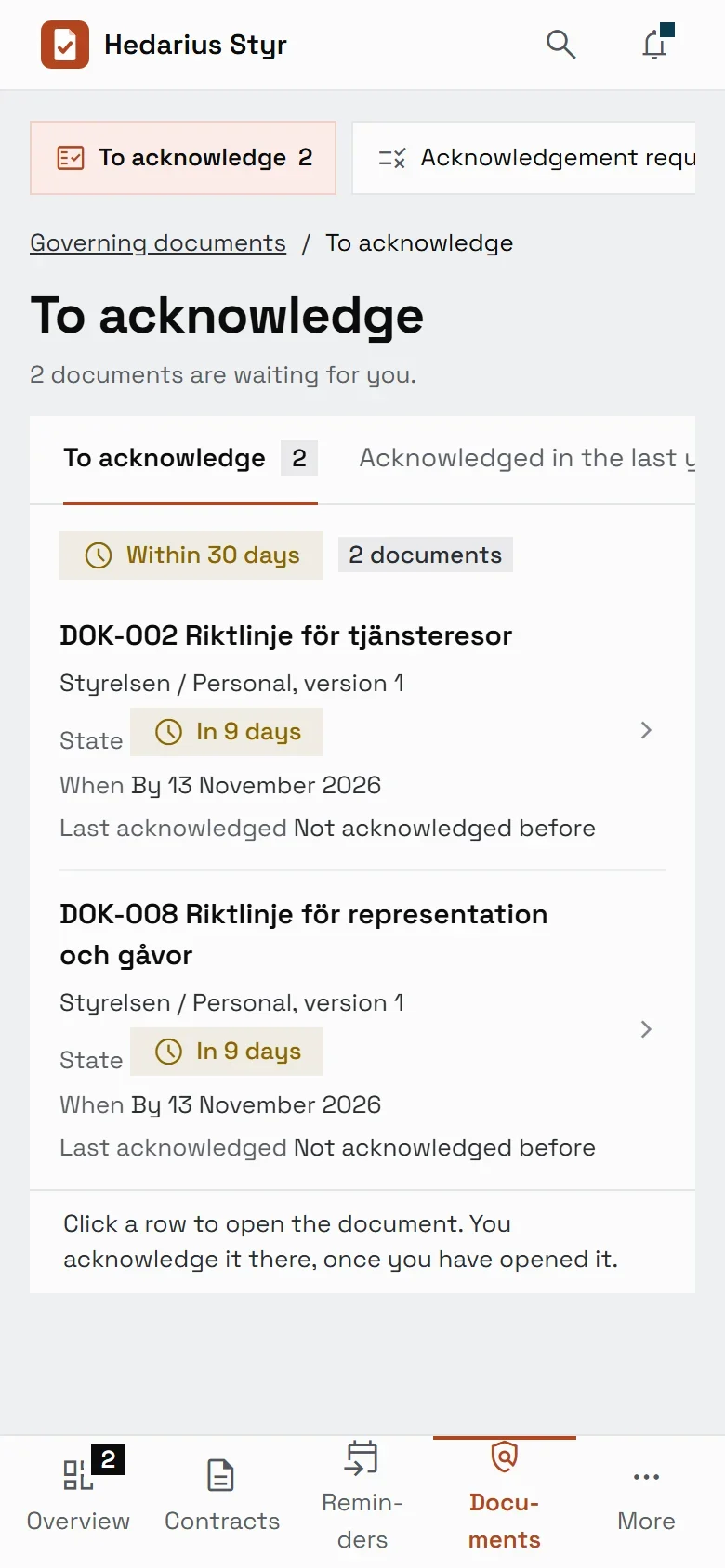
Require read acknowledgement from a group, every year or when the document changes significantly. Anyone who has not read it is reminded until it is done. In the phone too.

-
Requirement per group
Choose which groups must acknowledge a document or a whole folder, at an interval or only on a significant change.
-
Reminders
Reminders go out until the acknowledgement is done, and can be escalated to the manager.
-
Reports
Per document, group and person, also as it looked on a given date. Export to Excel.
Process maps.
Draw the process with swimlanes directly in the browser. The map is approved, acknowledged and searched like any other document, and becomes a PDF with searchable text.
- Draw with AI: a draft from a description or an existing document. The draft is saved only when you save it.
- Boxes can link to sub-processes and other documents.
- The map is drawn on the computer and read in the phone.
Questions, sharing and the foundation.
Ask the documents
Ask a question in plain language and get an answer with document number, version and page. The answer opens the document at the right page.
Share externally
Share a version with the board or the auditor. The recipient confirms their email address with a code, the link has an end date and every opening is logged.
SSO, SCIM and roles
Log in with SAML, for example via Microsoft Entra ID or Google, and fetch users and groups with SCIM. Roles, audit log and two-factor sign-in come as standard.
How it works
-
Upload or draw.
The document gets a number, a folder and an owner. A process map is drawn in the browser.
-
The approver approves.
Only then is the version in force. The old one is kept.
-
Those who need to read it acknowledge it.
Reminders until it is done. The report shows who has read it.
For whom?
Businesses of every kind with policies and procedures that every employee needs to know, with or without a quality department of their own. Also for those who work to ISO 9001 or ISO 27001.
Common questions
Does it work in the phone?
Yes. Styr works in the phone’s browser and can be added to the home screen. A mobile app is on the way. Process maps are drawn on the computer and shown as text in the phone.
Can we control who sees what?
Yes. Read access is set per group and inherited down through the folders. Anyone who may not read a document does not see it.
Does the AI save anything on its own?
No. Draw with AI makes a draft of the process map, and it is saved only when you save it. Answers to questions always refer to the document, version and page.
What happens to the old version?
It is kept as superseded, with who approved it and when. You can always see what was in force on a given date.
What does it cost?
Get in touch and we will tell you more.
Do you support ISO 9001 and ISO 27001?
Yes. Document Control supports the requirements for documented information in ISO 9001 and ISO 27001, with approved versions, read acknowledgements and a history of what was in force and when. Certification is done by a certification body. Risks, deviations and internal audits are in the Management System module.
Where are our documents stored?
The documents are stored within the EU. Hedarius Styr is developed by Hedarius AB, a Swedish company.
Want to know more about Document Control?
Get in touch and we will tell you more.
Contact us info@hedarius.comWe use your email address only to reply to your message. Read more in our privacy policy.